
Understanding Your Website’s Lighthouse Report
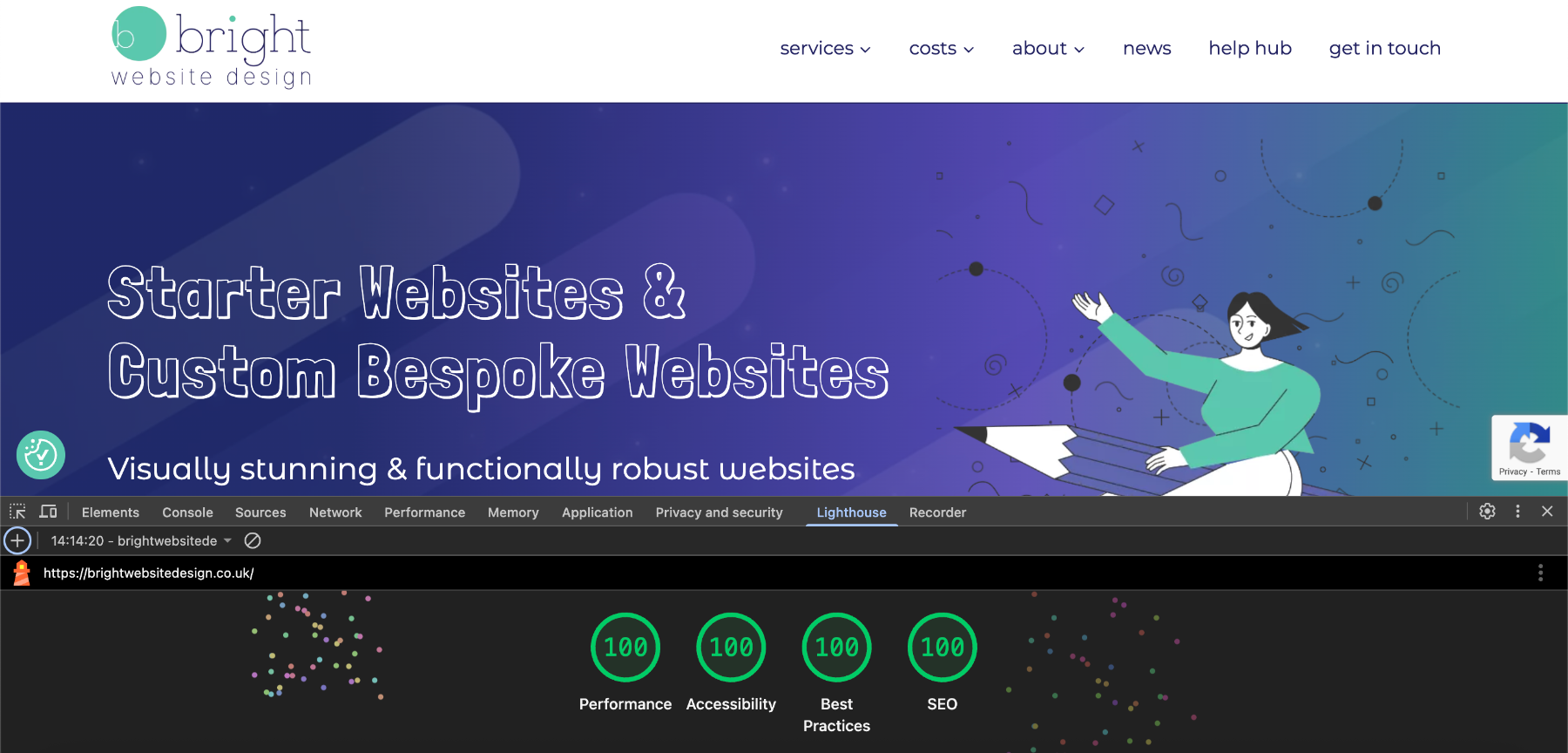
At Bright Website Design, we believe websites should not only look great but perform brilliantly. One of the ways we measure and prove this is with the Lighthouse report. In this article, I will explain what a Lighthouse report is, why it matters, how you can test your own website, and why I am proud that my website scores 100% in every category.
What is a Lighthouse Report?
Lighthouse is a free tool developed by Google that audits your website and provides a report with scores and suggestions for improvement.
It measures your site in four key areas:
Performance
- How fast your website loads and responds.
Accessibility
- How easy it is for everyone, including people using assistive technologies, to use your website.
Best Practices
- Whether your site follows modern web development standards.
SEO
- How well your site is set up to be found by search engines.
Why Do We Use Lighthouse?
A Lighthouse report is like a health check for your website. It helps you:
- Identify areas where your site could be faster and more user-friendly.
- Spot and fix accessibility issues that could prevent some visitors from using your website.
- Ensure your website is secure and built to current standards.
- Improve your chances of ranking higher in Google search results.
How to Run a Lighthouse Report
You don’t need any special software or technical skills to run a Lighthouse report on your own website. Here’s how you can do it:
Using Google Chrome
- Open the Google Chrome browser on your computer.
- Go to the web page you want to test.
- Right-click anywhere on the page and select Inspect to open the Developer Tools panel.
- In the top menu of the Developer Tools panel, click on the Lighthouse tab.
- Choose whether to test for Mobile or Desktop, and tick the categories you want to include in the audit (all are selected by default).
- Click the Analyse page load (or it may say Generate report) button.
- Wait while the test runs, it takes about 30–60 seconds and your report will appear directly in the panel.
Using PageSpeed Insights
- Visit PageSpeed Insights in any browser.
- Enter the URL of your website and click Analyse.
- After a few moments, you’ll see your scores and a breakdown of performance, accessibility, best practices, and SEO.
Why Our 100% Score Matters
At Bright Website Design, our website scores 100% in all Lighthouse categories:
Performance, Accessibility, Best Practices & SEO.
This matters massively, it shows we practise what we preach, building websites that are fast, accessible, and optimised.
- We keep up with the latest web standards and best practices.
- We deliver a smooth experience for all users, on all devices.
- Search engines see our site as technically sound, which helps our visibility.
When you work with us, you can be confident your website will be built to the same high standards.
Ready to See How Your Website Scores?
If you’d like help understanding your Lighthouse report, or you’d like me to run one for you and explain what it means, just get in touch. I am happy to show you where your website stands now and what can be done to improve it.

By Bec Lee
Bright Website Design
Bec is the founder of Bright Website Design, a Wilmslow-based website design agency specialising in building beautiful, high-performing WordPress websites for small & medium businesses.
With a reputation for being straightforward, technically sharp, and genuinely invested in her clients’ success, Bec has built websites for businesses of all shapes and sizes, from local Cheshire traders to companies operating across Europe.


